EazyCut
PROJECT / 03A closer relationship between words and video.
Three things to know
- The problem
- Recognition drafts still need wording and timing edits, followed by a caption file usable in the next editing step.
- My contribution
- Define product scope, the browser workflow and account, quota and recognition integrations, with AI-assisted implementation.
- What the evidence shows
- The actual frontend recording shows seeded caption edits, an SRT containing the edit and draft recovery after reload.
Evidence boundaries:The recording uses synthetic captions and simulated account/quota responses, with no recognition run. Hosted recognition evidence covers an existing six-second synthetic clip; real-source and physical-phone checks remain pending.
Watch the recordingInside the product
From caption review to a usable download.
Actual workspace in a local demo, 2 October 2026. Captions are seeded; account and quota responses are simulated. Editing, persistence and SRT download use the real frontend. Speech recognition is not shown.
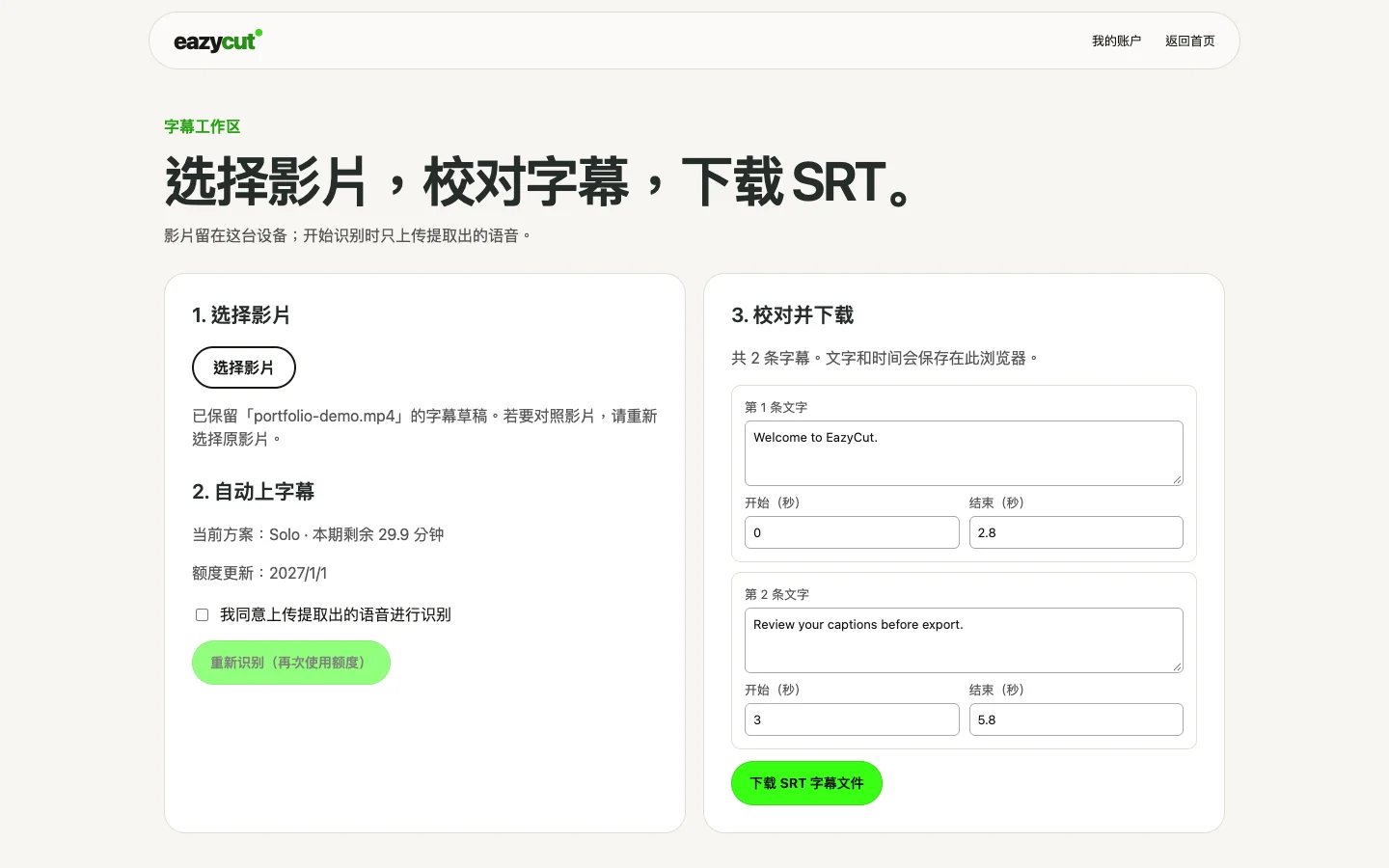
Review the caption text, time ranges and remaining allowance in one workspace.
Open the image for the full screenshot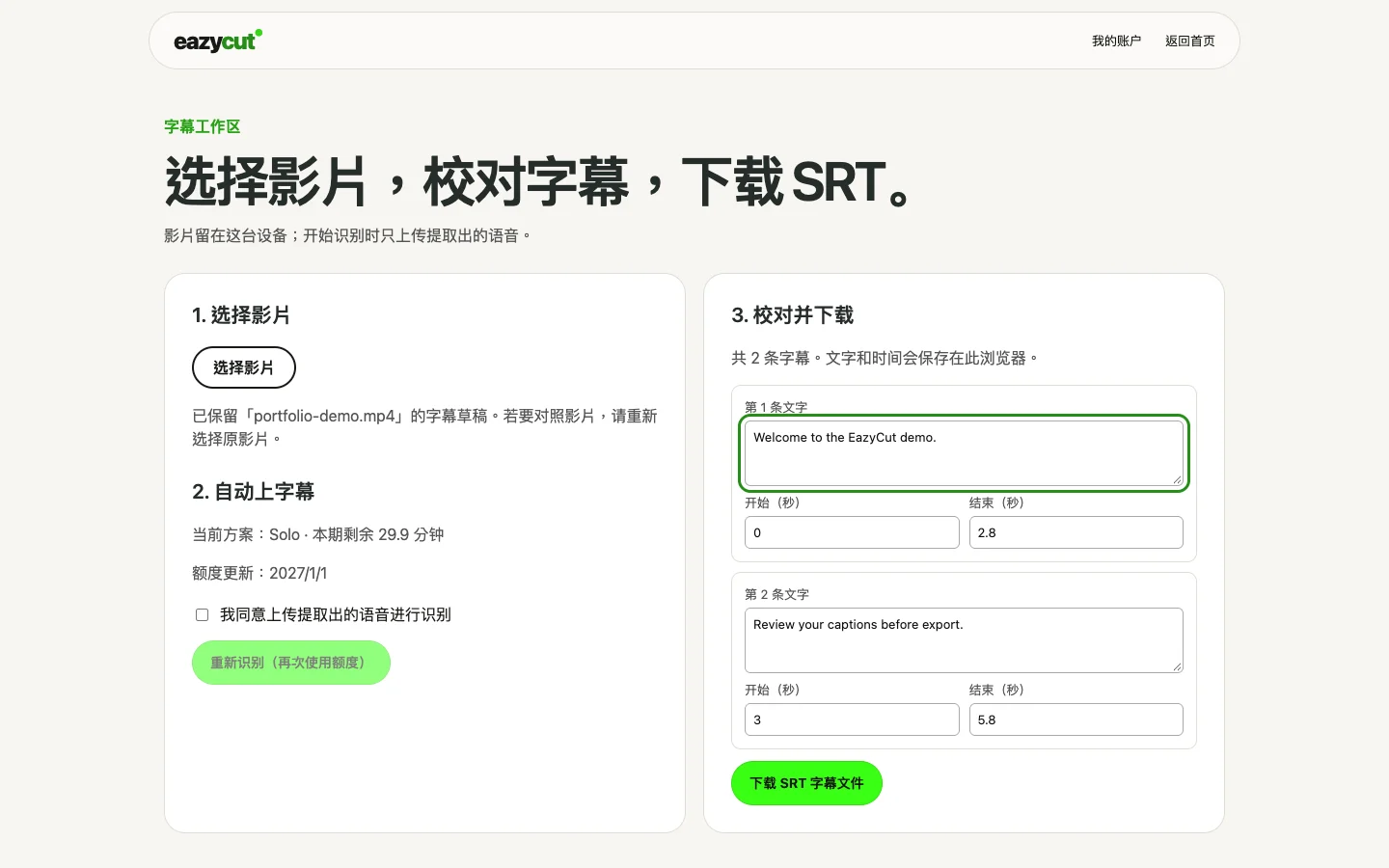
Edit the first caption directly and keep a draft that can be reviewed further.
Open the image for the full screenshot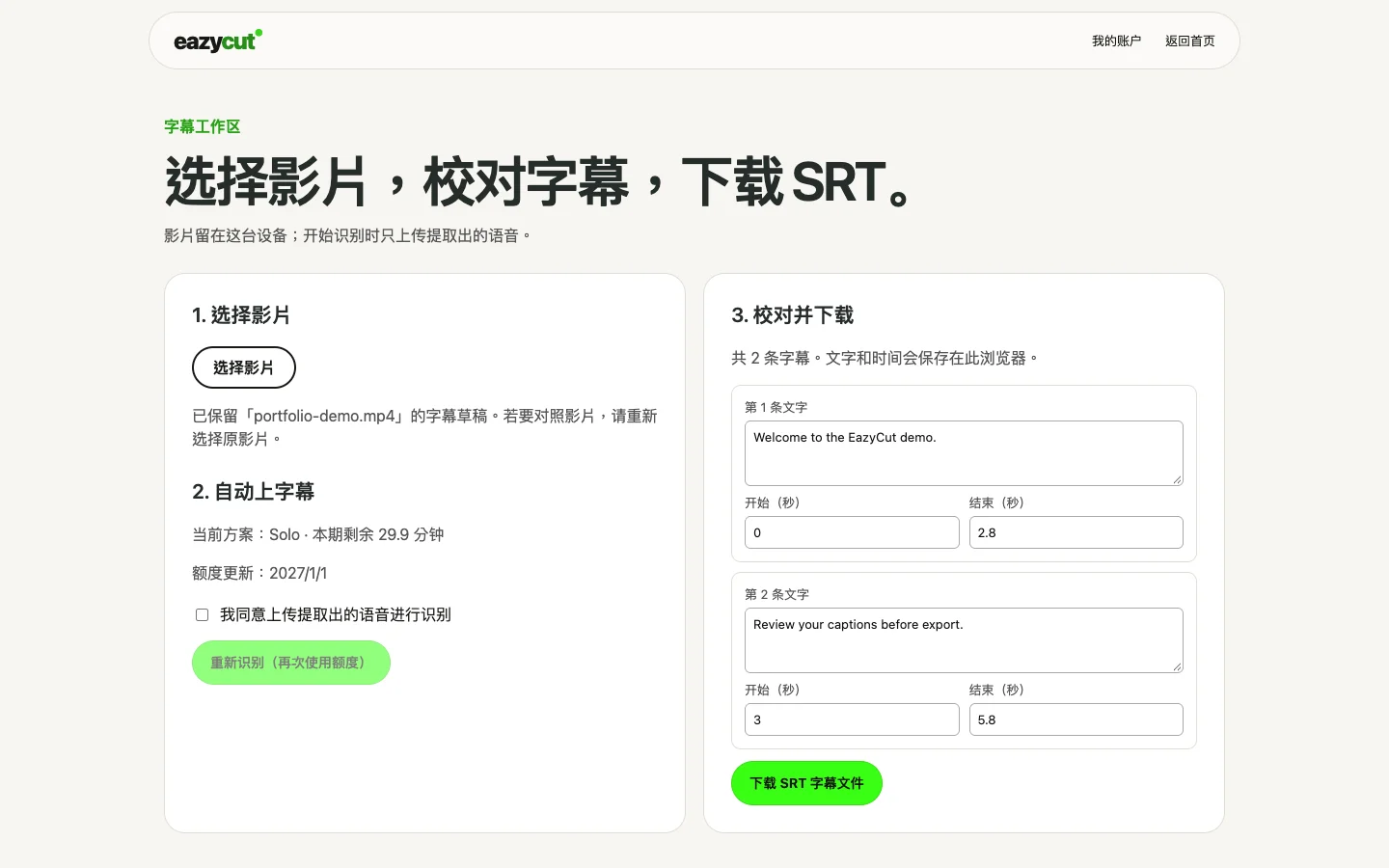
The downloaded SRT contains the edit. Reloading the page restores that edit in the same browser.
Open the image for the full screenshotReview the draft
I am building EazyCut to take video captions from recognition to a reviewed, downloadable file. The current hosted private beta focuses on caption editing and SRT output; the wider local editor follows its own development path.
Review the caption text, time ranges and remaining allowance in one workspace.
Edit the wording
Keep source video on the device and focus the hosted workspace on captions and SRT.
Edit the first caption directly and keep a draft that can be reviewed further.
Download and resume
Private beta supports caption review and SRT; automatic payments and captioned MP4 are outside the current scope.
The downloaded SRT contains the edit. Reloading the page restores that edit in the same browser.
A short walkthrough
Screen recording: edit synthetic captions, download SRT and restore the draft after reload. No audio.
I am building EazyCut to take video captions from recognition to a reviewed, downloadable file. The current hosted private beta focuses on caption editing and SRT output; the wider local editor follows its own development path.
A transcript still needs an editor.
Recognition gives a draft. Users still need to correct words, adjust timings and download something they can use in the next editing step.
I own product scope, the browser workflow and the integration between accounts, quotas and recognition. AI assists implementation; I check the resulting behaviour with synthetic media and recorded browser journeys.
Keep the video on the device.
The browser extracts audio for cloud recognition while the source video stays on the device. The workspace asks for consent before uploading audio and keeps editable captions in that browser.
The hosted version focuses on SRT. The separate local editor includes timelines and FFmpeg output; captioned MP4 export is not yet part of this hosted workspace. Keeping these paths separate makes the current product scope clear.
Account for a job that fails.
Recognition reserves an allowance before it runs and settles usage after success. Failure handling releases the reservation. Membership checks and administrator MFA protect plan changes.
This work includes concurrent reservations, expiry and provider-failure checks. These rules determine whether someone can retry safely when an external service is unavailable.
What has been verified.
On 2 October 2026, a hosted HTTPS check used a synthetic six-second English clip, returned two editable cues and downloaded an SRT file. Usage settled at six seconds, with no allowance left reserved. This is a bounded test, not a speech-quality benchmark.
The private beta uses manual plan activation. Automatic payments, captioned MP4 output, user-owned footage and physical mobile browsers remain separate validation work. The interface demo above uses a seeded caption draft and simulated account responses.
01 / Interactive illustration · synthetic data
Find the rhythm in a sentence.
Edit a caption, scrub the timeline and take away an SRT. This standalone illustration does not recognize speech or upload video.
Every idea deserves to be made with care.
00:01.50 / 01:00.00Caption timeline
Drag a caption to move it. Focus a segment and use Left / Right to move it by 0.1 seconds. Use the time fields to change its duration.
PROJECT NOTES
Project notes
These dates describe updates to this portfolio record, not product releases.
- Case record updated
- Recorded product status
- Hosted private beta · SRT workflow
- Documented work
- Private beta supports caption review and SRT; automatic payments and captioned MP4 are outside the current scope.
- Next evidence to add
- A consented real-source caption example and physical-device review.
LET’S MAKE IT USEFUL
Have an AI product idea for a real workflow?
Give your next step some shape.
Your text stays on this page. It is not saved or sent automatically.
Next project