POS System
PROJECT / 06From a single counter to a system for many stores.
Three things to know
- The problem
- Counter and kitchen staff need to work on the same order while respecting role-specific actions.
- My contribution
- Plan tenant and role workflows and implement ordering, modifiers, kitchen states and the hand-off to the counter.
- What the evidence shows
- In the isolated recording dated 13 October 2026, one synthetic order moves from acceptance through preparation to a recorded cash settlement.
Evidence boundaries:An admin switches views on a seeded order. No real payment, payment gateway or physical printing is exercised; the older screenshots remain three separate scenarios.
Watch the recordingInside the product
Shared order rules, different views for each role.
Isolated local acceptance screenshots, 27 September 2026. Three separate scenarios with test stores and orders; these are not a recording of one live transaction.
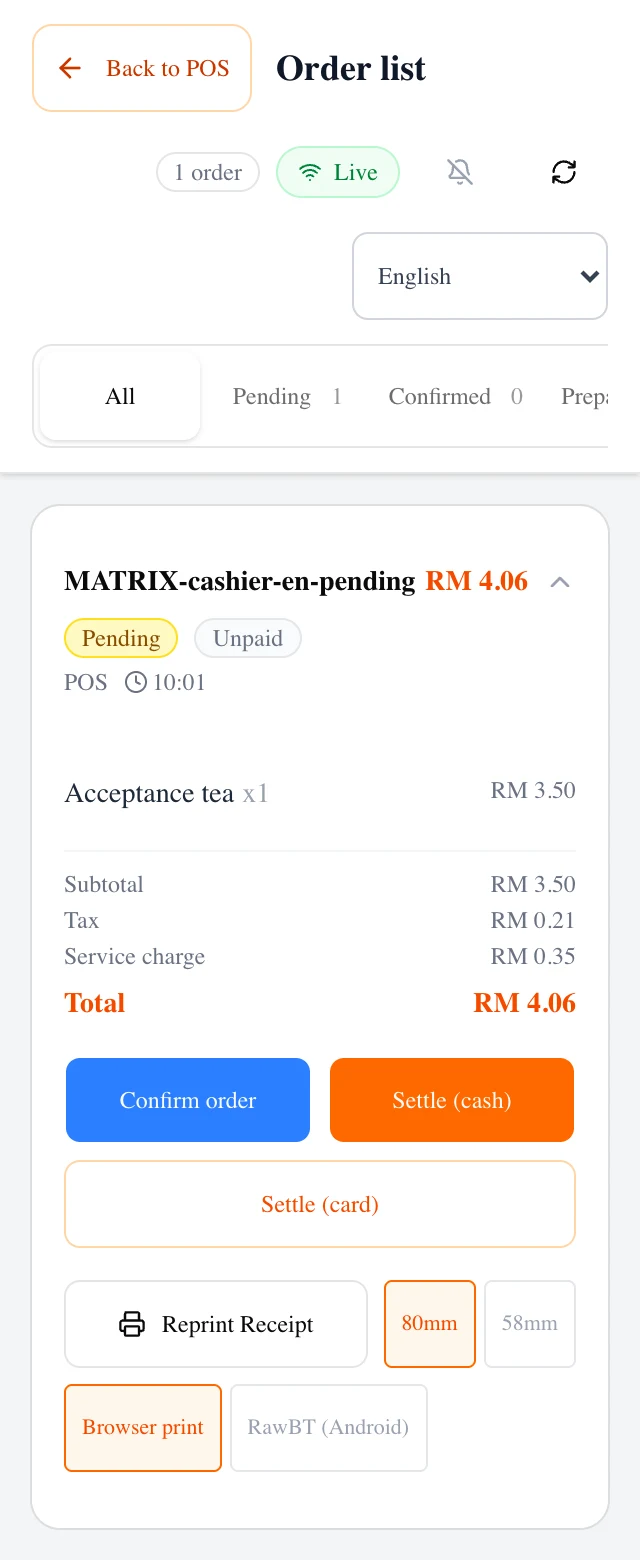
Cashiers see pending orders, line items and totals. Available actions follow the role and order state.
Open the image for the full screenshot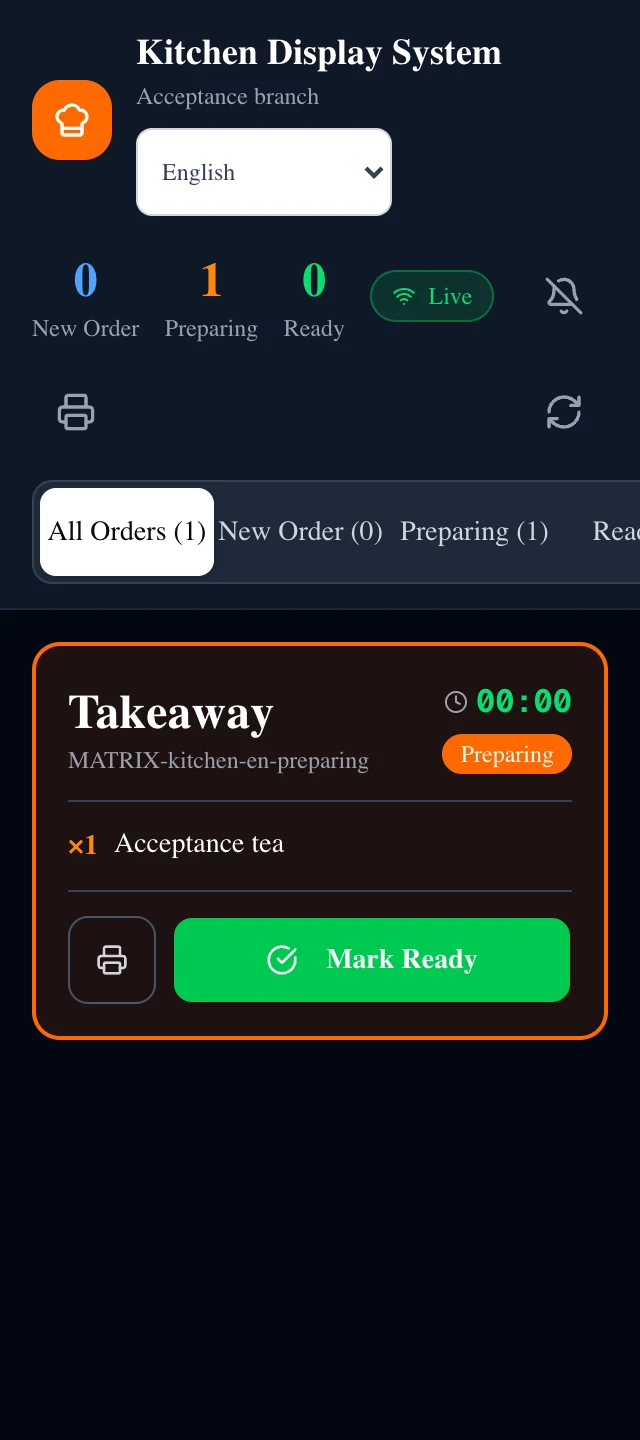
The kitchen view focuses on new, preparing and ready orders to keep preparation work clear.
Open the image for the full screenshot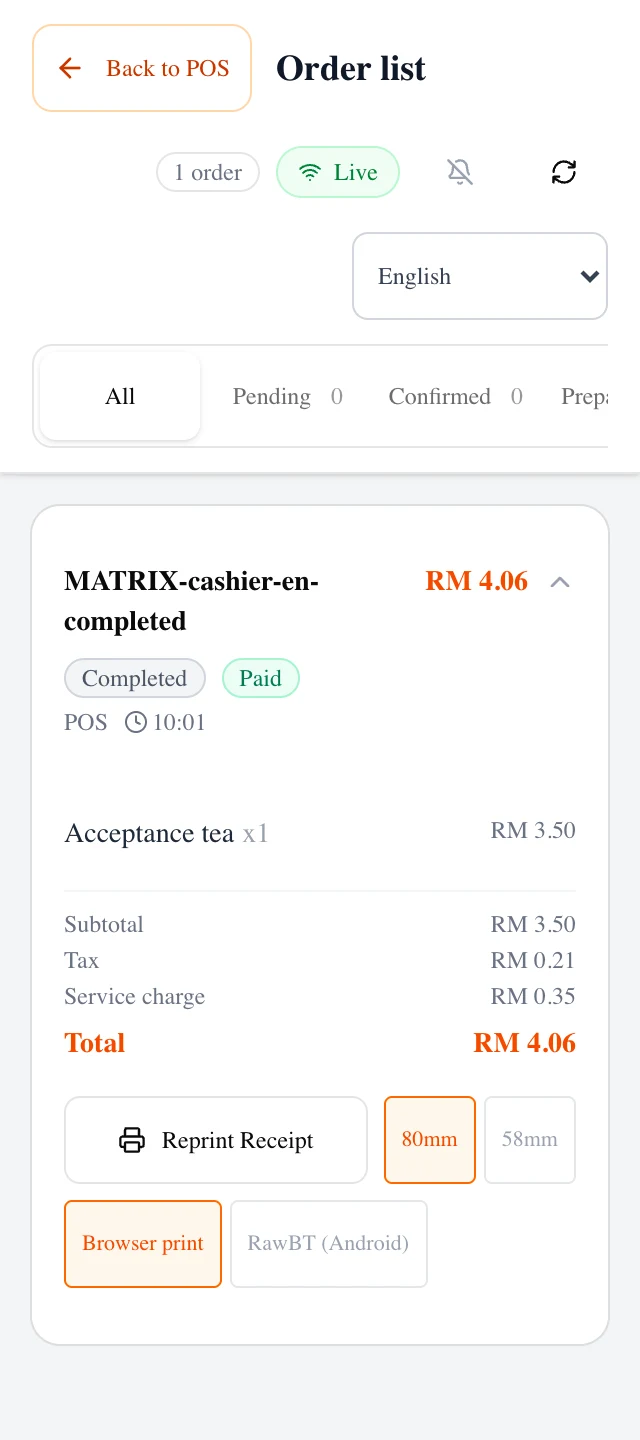
Completed orders retain payment and receipt information. This shows the interface state; physical printer validation is still pending.
Open the image for the full screenshotOrders at the counter
A restaurant POS evolving from one store into a system with separate merchants, branches and staff roles. Ordering, modifiers, kitchen work and checkout share a consistent order flow.
Cashiers see pending orders, line items and totals. Available actions follow the role and order state.
Preparation in the kitchen
Scope data and actions by merchant, role and order state.
The kitchen view focuses on new, preparing and ready orders to keep preparation work clear.
Completion and receipts
Core flows checked locally in isolation; cloud and physical printers need separate acceptance.
Completed orders retain payment and receipt information. This shows the interface state; physical printer validation is still pending.
A short walkthrough
Isolated local recording, 13 October 2026: one seeded test order moves from acceptance through kitchen preparation to a recorded cash settlement. An admin account switches between counter and kitchen views. No real money, payment gateway or physical printing. No audio.
A restaurant POS evolving from one store into a system with separate merchants, branches and staff roles. Ordering, modifiers, kitchen work and checkout share a consistent order flow.
Start with work at the counter.
One table can have several items, modifiers and preparation states. Front-of-house staff, the kitchen and managers need different views without conflicting cancellation, clearing and settlement actions.
I define the order transitions and role permissions, then enforce critical rules in the database. Four-language interfaces and item-name snapshots retain what an order contained when it was placed.
Multiple merchants need clear boundaries.
Multi-tenancy brings merchant, branch, subscription and role rules into the same design. Hiding a button cannot replace server-side data isolation.
Documented checks cover cross-tenant access, order transitions, modifier constraints and database restore behaviour. Store workflows stay separate from platform administration.
Current delivery state.
Local acceptance covered five roles, seven order states and four languages: 140 combinations. Another 24 flow combinations ran in emulated mobile Chromium and WebKit. These checks used isolated stores and test orders, with cleanup afterward.
A hosted frontend deployment is recorded, while cloud database and configuration checks, payment services, physical printers and native Malay review remain separate work. Browser emulation does not establish physical-device readiness. It is not yet offered as a public SaaS.
02 / Interactive illustration · synthetic data
One order. Three points of view.
Add a sample item, then accept, prepare and complete the order. No real transaction or store system is involved.
One sample order, two connected views. Desktop shows both; on a small screen choose a view.
- 01No order yet
- 02Awaiting acceptance
- 03Preparing
- 04Ready
- 05Completed
No order yet
Quantity:
Cashier
Quantity: 0
No order yet
Switch views to continue this order.
Kitchen
Quantity: 0
No order yet
Switch views to continue this order.
PROJECT NOTES
Project notes
These dates describe updates to this portfolio record, not product releases.
- Case record updated
- Recorded product status
- Core flows locally verified · cloud checks ongoing
- Documented work
- Core flows checked locally in isolation; cloud and physical printers need separate acceptance.
- Next evidence to add
- Physical printer verification remains an external product task.
LET’S MAKE IT USEFUL
Working through an ordering, paperwork or operations problem?
Give your next step some shape.
Your text stays on this page. It is not saved or sent automatically.
Next project